Resume Templates for Freshers
ATS friendly Resume LaTeX Template for Freshers
Specialized LaTeX CV template for Freshers. Emphasizes skills and project experience
Authorship & License
- Author : EasyLaTeXResume Team
 EasyLaTeXResume Link for no Code Latex Template Edit
Download Source Code Preview PDF
How to Use This LaTeX Resume Template
- Download the complete LaTeX resume template package with all source files
- Open the main LaTeX resume file (main.tex) in your preferred LaTeX editor like Overleaf or EasyLaTeXResume
- Replace the sample content with your personal information and work experience
- Customize the LaTeX CV template colors, fonts, and layout as needed
- Compile the LaTeX resume template to generate your professional PDF resume
- Review the final LaTeX resume format and make any necessary adjustments
About This Classic LaTeX Resume Template
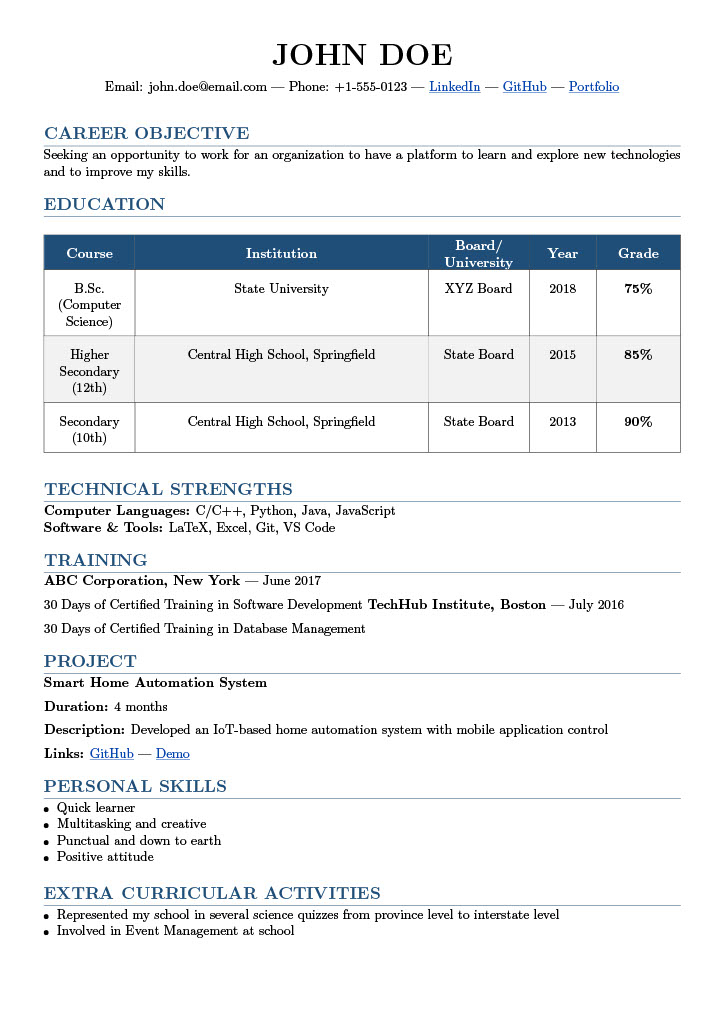
This traditional LaTeX resume template uses the resume.cls class and is best suited for
entry-level professionals or students seeking a clean, tabular academic layout. It highlights
education, projects, training, and personal details in a formal and easy-to-scan format.
Key Features
- Font & Style: Default LaTeX serif font for a formal academic appearance.
- Custom Class: Uses
resume.clsfor structured sections like Education, Training, and Projects. - Table Layout: Tabular education section for clear presentation of marks and institutions.
- Compact Design: Narrow margins (
0.75insides) maximize space while maintaining readability. - Section System: Easy-to-edit
rSectionandrSubsectionblocks for organization. - Beginner Friendly: Ideal for first-time LaTeX users who prefer simplicity over heavy styling.
Ideal For
Fresh graduates, students, and job seekers in engineering or technical fields looking for a no-frills, print-ready LaTeX resume.
Customization Tips
- Replace the tabular Education section with bullet points for modern layouts.
- Add
\usepackage{helvet}or\usepackage[sfdefault]{roboto}to use a cleaner sans-serif font. - Modify
geometrymargins to fit more or less content on a page.
Quick Setup
Open the template in EasyLaTeXResume, and Edit via no code features